Tuesday 12:30. You are on your lunch break. Your colleague is in the shop.
The business phone is on the table next to you. Three messages come in.
Your colleague does not see them. He does not even know they are there.
One number. Two colleagues. One phone.
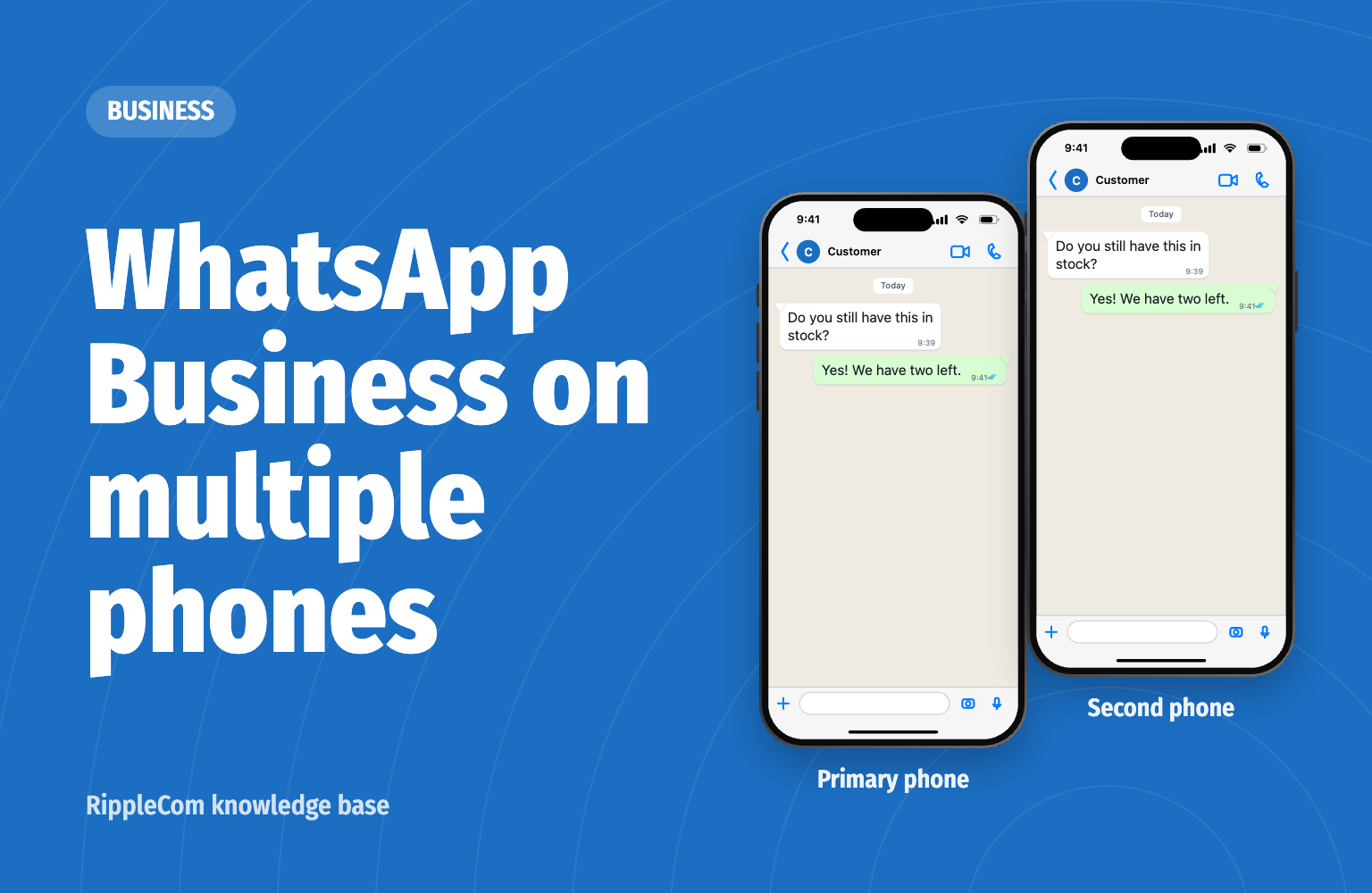
Yes. Since April 2023 you can link a second phone to the same WhatsApp account. WhatsApp announced this on its own blog. Colleagues can then reply from their own phone on the same business number.
One phone stays the primary phone. That is the phone on which you created the account. You link the other devices from that phone.
On your primary phone plus four linked devices. Those can be phones. A computer or tablet also counts. This is stated in the WhatsApp Help Center.
With a paid Meta Verified subscription it can be up to ten in total. This is stated in the description of the app in the App Store. You can see in the app whether that subscription is available for your number.
Your chats then also appear on the second phone. The WhatsApp Help Center describes the linking step by step.
The first two points are in the WhatsApp Help Center.
For a small team it works well. Two or three people who see each other and know who does what.
When the team grows, you notice the limit. Five devices is the maximum without a subscription. Who picks up a question is something you agree among yourselves. And does someone leave? Then you unlink their phone, otherwise they keep reading along.
Tuesday 12:30. A customer sends a WhatsApp message to the shop’s number: “Do you still have this in stock?”
The message reaches the whole team, in one overview. Your colleague in the shop picks it up. You see that it has been handled.
You finish your sandwich.
Calls, WhatsApp and SMS then come together on your business number. Everyone works with their own login, on the computer or in their email. There is no primary phone that has to be opened every 14 days.
The customer gets an answer. The employee knows what to do. The organisation keeps the overview. So that it arrives.
How is your organisation doing? Take the free Communication Scan. In one minute you see where you can gain in reachability, appointments and follow-up. Your result arrives straight away via WhatsApp.
Would you rather see how it works first? Book a demo.
Yes. You link a second phone to your account through Linked devices on your primary phone. Both phones then use the same business number.
On your primary phone plus four linked devices. With a paid Meta Verified subscription it can be up to ten in total.
Yes. Each colleague links their own phone or computer to the account. Everyone then sees the same chats. In the free app you cannot see who answered a question.
No. Linked phones also work when the primary phone is switched off. Do use the primary phone at least once every 14 days. Otherwise all linked devices are logged out.
Free Communication Scan
Take the free Communication Scan. 6 questions, 1 minute, your result straight to WhatsApp.
or book a 30 minute demo

We are directly and easily accessible to our customers. Our team works optimally together with RippleCom. We can help more customers with our current team, and we have saved two FTEs.


Thousands of customers. One communication standard. No missed messages. Linked with OutSmart. One inbox. Always an answer. Always traceable. RippleCom is our central control for customer contact.
This is how retail works in 2026


Customers called us 3,500 times a month about parts. Now they WhatsApp their registration and a photo of the type plate. An answer within twenty minutes. Connected to our phone system. 75% fewer calls. And messages arrive.


Reachable for my clients. Peace of mind for me. I get everything clearly organised in my email inbox. 90% of the most frequently asked question, “Can I have extra money?”, arrives separately. Either I pick it up or my colleagues do. With RippleCom I have peace and overview.

Involving residents in sustainability requires trust. That starts with accessibility. With RippleCom, we have managed to reach 20% of the residents. Fully transparent. This is how you build support.


We are active in eleven countries and serve thousands of customers. Hundreds of conversations a day. Without central control, that would be impossible. 300% higher customer satisfaction and conversion on price calculations from 4% to 37%. RippleCom scales with us.


Orthodontics is all about planning. Every appointment counts. With RippleCom, we have control over every patient contact. Reminders and changes are linked with our system. From 47 down to 12 no-shows per month. Our schedule is accurate. Our patients attend.


Our customers expect service at the highest level. That begins with communication. Direct. Personal. Reliable. Every appointment is confirmed. Every question answered. One inbox. Always an answer. That is what premium feels like.